
- ECS
- 27 Nov 2026
Product Data Validation Rules Every eCommerce Team Should Define
A product catalogue can contain thousands of listings and still have serious data quality problems. A product might have the wrong SKU, an incomplete description, an incorrect price or a variant assigned to the wrong size. Individually, these errors may look minor. Across a growing eCommerce operation, however, they can create inventory problems, incorrect orders, poor product filtering and unnecessary customer support work.
The problem often starts before a product reaches the online store. Different employees receive supplier spreadsheets, update product information, manage images and prepare bulk imports. Without agreed validation rules, each person may follow a slightly different approach.
That is why every eCommerce team needs a documented set of product data validation rules.
These rules establish which information must be provided, what formats are acceptable, how values should be checked and who is responsible for approving changes. They also make it easier to maintain consistent information across Shopify, marketplaces, inventory systems and other connected platforms.
Here are the essential validation rules worth establishing before your product catalogue grows further.
What Are Product Data Validation Rules?
Product data validation rules are predefined checks used to confirm that product information is complete, correctly formatted, consistent and suitable for its intended use.
They apply to information such as:
- Product titles and descriptions
- SKUs and barcodes
- Product categories and types
- Sizes, colors and other attributes
- Product variants
- Selling prices and inventory
- Product images
- Shipping dimensions and weights
- SEO titles and meta descriptions
For example, an apparel retailer might require every product to have a brand, product type, color, size and unique variant SKU before publication.
A furniture retailer may require material, height, width, depth and assembly information.
The exact requirements will differ by product category, but the principle remains the same: teams should know what acceptable product information looks like before entering or importing it.
It is also important to distinguish internal quality standards from platform requirements. Shopify may accept a product with only a title when creating a new product through CSV, but an eCommerce business may reasonably require several additional fields before approving that product for publication.
1. Define Mandatory Product Information Fields
The first rule should establish which fields are compulsory for each product category.
Not every product needs the same information. A clothing product requires different attributes from an electronic device or a piece of furniture.
Start by creating a mandatory-field checklist for each major product category.
| Product Category | Important Mandatory Fields |
|---|---|
| Clothing | Title, brand, size, color, material and SKU |
| Electronics | Title, brand, model, specifications, compatibility and SKU |
| Furniture | Title, material, dimensions, color and weight |
| Beauty Products | Title, brand, ingredients, size and usage information |
| Home Accessories | Title, material, dimensions, color and product type |
These are suggested internal requirements, not universal legal or Shopify requirements. Add category-specific information according to your products and applicable regulations.
Recommended validation rule: A product cannot move to the approval stage if any required field is missing, unless an authorized team member records an approved exception.
For example, if a supplier provides a new table but does not provide its dimensions, the product should remain pending rather than being published with incomplete information.
This prevents missing information from becoming a permanent catalogue problem.
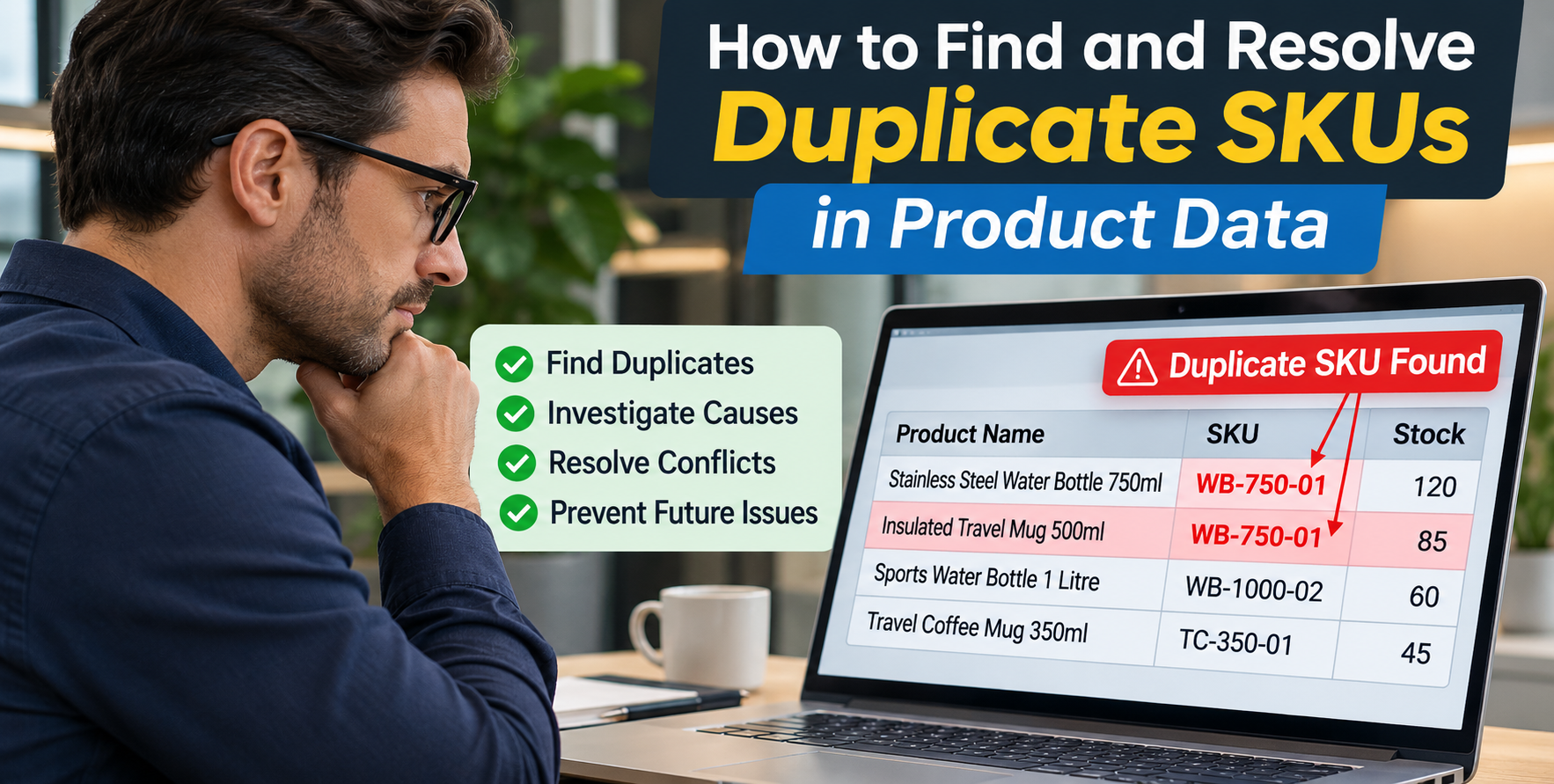
2. Establish Unique SKU and Barcode Rules
Product identifiers are among the most important parts of catalogue management.
A Stock Keeping Unit (SKU) helps businesses identify products and variants for inventory management, fulfilment and reporting. Barcodes serve a different purpose and can support scanning and product identification across retail operations.
Your team should define:
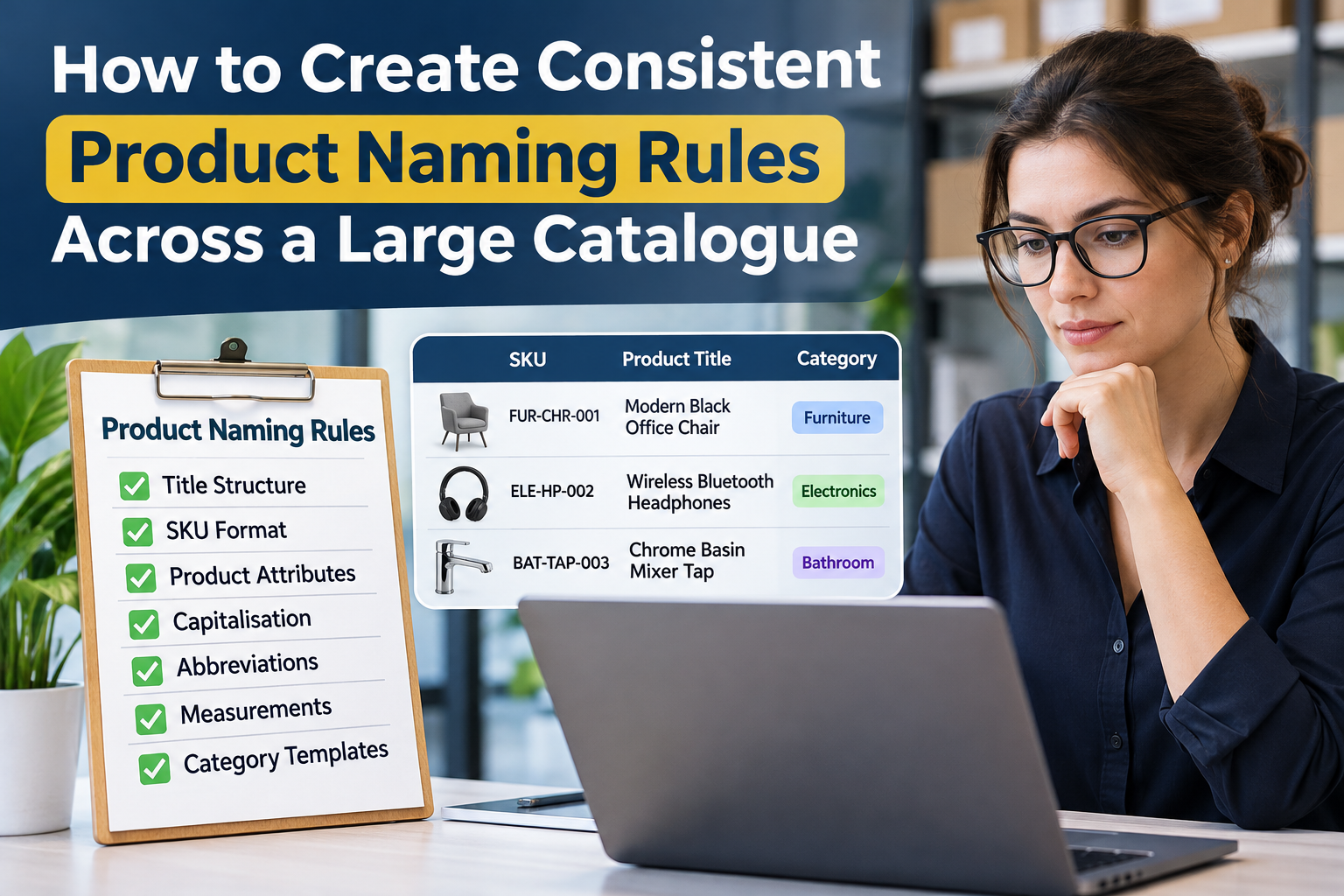
- A standard SKU naming convention.
- Whether every sellable variant needs its own SKU.
- Which characters are permitted.
- Maximum and minimum SKU lengths.
- How duplicate SKUs are detected.
- How new SKUs are assigned.
- Who can approve SKU changes.
For example, a clothing business might use a format such as:
- SHIRT-BLK-S
- SHIRT-BLK-M
- SHIRT-BLK-L
Each size represents a separate sellable variant and receives its own identifier.
The validation process should flag duplicate SKUs before importing or synchronizing product records.
Barcode checks should be separate. Depending on the identifier type, teams may need to verify the format, check digit and association with the correct product or packaging level.
Shopify recommends unique SKUs for product variants and explains that duplicate SKUs can create problems with inventory tracking and third-party integrations.
Reference: Shopify’s official guide to using SKUs to manage inventory.
3. Standardize Product Titles and Naming Conventions
Inconsistent product titles make catalogues difficult to manage.
One employee might enter a product as “Black Cotton T-Shirt Men’s Medium”, while another enters “Men T-Shirt – Cotton – Black – M”.
Although both descriptions may refer to the same product, inconsistent naming makes searching, filtering and bulk management more complicated.
Create a product title formula for each major category.
For example:
Brand + Product Type + Model + Key Attribute
A hypothetical electronics listing might follow this format:
“Acme Wireless Headphones X200 – Black”
Define the following rules:
- Brand placement.
- Product type placement.
- Model number formatting.
- Capitalization.
- Approved abbreviations.
- Character limits where required by a sales channel.
- Prohibited promotional wording.
- Rules for including size, color and other attributes.
The purpose is not to make every title identical. It is to ensure that similar products follow the same naming structure.
Also, avoid automatically replacing manufacturer terminology with marketing language if it changes the meaning of a product specification.
4. Create Standard Rules for Product Attributes
Product attributes help customers understand and compare products. They also support storefront filters, product search, collection organization and marketplace feeds.
However, attributes become unreliable when different employees enter the same information in different ways.
Consider a product color field containing:
- Blue
- blue
- Navy Blue
- Dark Blue
- BLU
These values might describe several genuinely different shades, or they might represent inconsistent entries for the same color.
Your team should create an attribute dictionary that specifies:
| Attribute | Data Type | Validation Rule |
|---|---|---|
| Color | Controlled text | Use approved color values |
| Material | Controlled text | Follow an approved material list |
| Weight | Numeric | Use an agreed unit |
| Width | Numeric | Must be greater than zero |
| Brand | Text | Match the approved brand name |
| Size | Controlled text | Follow the category size standard |
For measurements, specify whether the business uses inches, centimeters, millimeters, kilograms or grams.
Do not allow different units to be mixed in the same field without a documented conversion process.
Recommended validation rule: Every controlled attribute must use an approved value or go through an exception and approval process.
This is particularly important for stores using filters and product feeds, where inconsistent attribute values can prevent customers from finding relevant products.
5. Define Product Variant Validation Rules
Variants require additional attention because each combination represents a specific purchasing option.
A product may have:
- Multiple sizes.
- Different colors.
- Different materials.
- Several pack quantities.
For example, a shirt available in three sizes and two colors has six possible combinations if every combination is offered.
Your validation rules should check:
- Each variant belongs to the correct parent product.
- Option names follow consistent terminology.
- Option values use approved formats.
- Each sellable variant has the correct SKU.
- Variant prices are accurate.
- Inventory is assigned to the correct variant.
- Product images match the selected variant.
- Duplicate variant combinations are identified.
Consider a product with the following options:
| Size | Color | SKU |
|---|---|---|
| Small | Black | SHIRT-S-BLK |
| Medium | Black | SHIRT-M-BLK |
| Large | Black | SHIRT-L-BLK |
| Small | White | SHIRT-S-WHT |
| Medium | White | SHIRT-M-WHT |
A common mistake is assigning the correct price but linking the wrong image or SKU to a variant.
The product may appear correctly on the storefront, but customers could receive a different item from the one they selected.
Shopify’s product CSV documentation also warns that changing option values during an import can delete existing variant IDs and create new ones. This can affect third-party dependencies on those IDs.
Therefore, treat changes to existing variant structures as controlled updates, not routine text corrections.
6. Introduce Pricing and Inventory Validation
Pricing and stock information should have stricter validation because errors can directly affect customer orders.
Define rules for:
Product Pricing
- Selling price must be greater than zero for products intended for sale.
- Negative prices must be rejected.
- Compare-at prices must follow the store’s pricing policy.
- Currency must be identified correctly.
- Market-specific prices must match the intended sales market.
- Unusual price changes should require approval.
Inventory Information
- Stock quantities must use numeric values.
- Negative quantities should be allowed only where the business workflow explicitly supports them.
- Inventory must be associated with the correct product variant.
- Location names must match the relevant inventory system.
- Stock updates must follow a documented source-of-truth policy.
For example, if an ERP system controls warehouse stock, Shopify should not receive conflicting inventory updates from an unrelated spreadsheet.
Define which system controls inventory and how frequently changes are synchronized.
Shopify also provides inventory CSV safety validation using current and new inventory quantities, helping prevent accidental overwrites when stock has changed since the export.
7. Set Product Image and Media Validation Standards
Product images are not just decorative content. They help customers identify products, compare options and make purchasing decisions.
A product data validation process should check:
- Whether the image URL works.
- Whether the image belongs to the correct product.
- Whether the image shows the correct variant.
- Whether the image meets channel-specific requirements.
- Whether duplicate or irrelevant images are present.
- Whether image alt text is appropriate.
- Whether the primary image is assigned correctly.
For example, a product available in black and white should not display the black variant image when a customer selects white.
For bulk imports, image URLs should be tested before uploading the catalogue.
A useful approach is to maintain a media checklist with the product SKU, image filename, image URL, variant association and approval status.
This makes it easier to identify missing images before products go live.
8. Validate Product Descriptions and SEO Fields
Product content should follow its own validation rules.
A product description can be grammatically correct but still be incomplete or misleading.
Establish standards for:
- Required product features.
- Technical specifications.
- Materials and dimensions.
- Compatibility information.
- Warranty details where applicable.
- Care and usage instructions.
- Brand terminology.
- SEO titles and meta descriptions.
- Product URL handles.
Descriptions should be checked against reliable product information rather than written from assumptions.
For instance, if a manufacturer does not confirm that a product is waterproof, the description should not make that claim.
SEO fields also need consistency. Define naming conventions for product titles, meta descriptions and URL handles without forcing the same wording across every listing.
For Shopify stores, product metafields can also help organize additional structured information. Shopify supports product metafields in product CSV import and export after the metafields have been defined. Variant metafields have different CSV support limitations, so teams should check the current documentation before designing bulk workflows.
9. Create Rules for Product Categories and Collections
Incorrect categorization affects product discovery and catalogue organization.
A product might be assigned to the wrong category, placed in an irrelevant collection or given inconsistent tags.
Define:
- An approved product category structure.
- Rules for assigning product types.
- Standard collection naming.
- Approved tag conventions.
- Category-specific attribute requirements.
- Rules for handling discontinued products.
- Ownership of category changes.
For example, a store selling home furnishings should distinguish between bedding, curtains, cushions and decorative accessories.
Do not allow employees to create new categories simply because an existing category appears unfamiliar.
An approval process helps maintain a consistent catalogue structure as new products are introduced.
10. Establish Data Ownership and Approval Responsibilities
Even well-written validation rules can fail if nobody is responsible for enforcing them.
Every important product data field should have a clearly identified owner.
| Data Field | Responsible Team |
|---|---|
| Product specifications | Product or merchandising team |
| SKUs and identifiers | Inventory team |
| Selling prices | Pricing team |
| Product descriptions | Content team |
| Product images | Creative team |
| Categories and attributes | Catalogue management team |
| Final publication approval | eCommerce operations |
You should also define who can:
- Create new products.
- Change existing SKUs.
- Modify variant structures.
- Approve price changes.
- Update product specifications.
- Publish products.
- Override validation failures.
A clear ownership structure reduces confusion when different systems and departments work with the same product information.
11. Run Validation Before Every Bulk Product Import
Bulk imports can introduce multiple errors at once.
Before uploading a large product file, create a repeatable validation process.
A practical workflow looks like this:
Step 1: Collect the Source Data
Gather supplier spreadsheets, product images, specifications, pricing and inventory information.
Step 2: Standardize the Data
Normalize product names, attributes, measurements, SKUs and category values.
Step 3: Run Automated Checks
Identify missing fields, duplicate identifiers, invalid formats, incorrect values and incomplete variant combinations.
Step 4: Review Exceptions
Send questionable records to the responsible team rather than automatically approving uncertain information.
Step 5: Test a Small Import
Use a representative sample of products to check how the data maps into Shopify.
Step 6: Review Imported Products
Check product pages, variants, pricing, images, inventory and collection assignments.
Step 7: Approve the Full Import
Proceed only after the sample has passed the required checks.
Shopify recommends backing up product data before importing and testing a small subset of changes before large-scale imports.
Its product CSV documentation also explains that blank columns can overwrite existing information when the overwrite option is selected. This is why teams should review the file structure carefully before importing.
For businesses handling larger catalogues, Shopify bulk product upload services can help with preparing, organizing and importing product records.
Common Product Data Validation Mistakes to Avoid
Even businesses with established product management processes can make mistakes.
Watch out for these common problems:
- Using one validation checklist for every category: Different products need different attributes.
- Checking only whether fields are populated: A value can exist but still be incorrect.
- Allowing duplicate SKUs: This can cause inventory and integration problems.
- Mixing measurement units: This creates confusion during comparison and fulfilment.
- Ignoring variant relationships: Incorrect variant mapping can lead to wrong products being shipped.
- Changing product data without approval: Uncontrolled updates can affect pricing, identifiers and integrations.
- Skipping test imports: Large-scale mistakes become harder to identify and correct.
- Failing to review published products: Successful imports do not automatically guarantee accurate storefront listings.
Final Thoughts
Product data validation should be a standard part of every eCommerce team’s daily operations, not a task reserved for troubleshooting after something goes wrong.
The most effective approach is to define mandatory fields, standardize product attributes, protect unique identifiers, validate variant relationships and establish clear responsibility for approving product changes.
For growing Shopify businesses, these rules become particularly important when managing large product catalogues, supplier feeds and bulk CSV imports.
If your team regularly spends time correcting missing product information, duplicate SKUs or inconsistent variant data, it may be worth reviewing the entire catalogue management process.
MyShopifyExpert provides support with product data preparation, catalogue organization, product uploads and bulk imports. You can explore our Shopify product upload services or discuss your catalogue requirements with our team.